
Insert Null Values Using Data Loader and Bulk API
I learned something new today and thought it should be passed on. In an earlier post I wrote about how the Data Loader will not insert null values when using the Bulk API. It turns out that the API will insert null values but you need to use the text "#N/A" as the value instead of leaving the value blank.
So, in the CSV file you would normally use for the Data Loader you would enter "#N/A" for all empty cells in the file. This will ensure that the existing data in Salesforce is over-written with an empty (or null) value. Please see the illustrations below:
Instead of empty cells: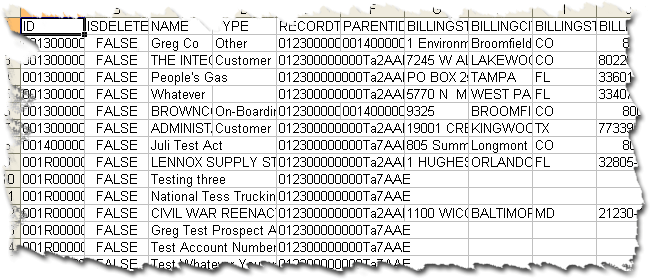
Populate cells with "#N/A":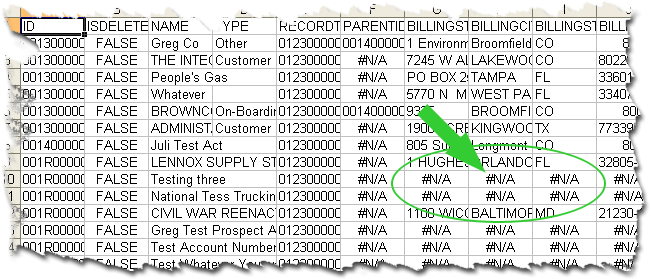
I'm sure you're thinking that this will simply populate any field with the actual text "#N/A" but it doesn't. It leaves the field empty after the data is loaded.
Try it out. It should make using the Bulk API via the Data Loader even more appealing.
Author

I've been working with Salesforce since 2003. Over the years, I've held various roles for a diverse array of salesforce.com customers, created a Salesforce specific ISV, and built numerous applications for the AppExchange. All of these experiences have allowed me to learn quite a bit about building on the platform.